Introducing Roost: a bullet journal notebook companion
I’ve been a diligent GTD person for years — OmniFocus, Things, all of it. The capture flow on those apps is excellent. But late last year I started bullet journalling, and it solved a problem I’d been having forever: digital task apps never end. Tasks accumulate until you spend more time grooming the library than doing the work. The notebook forces a daily reckoning. Rewrite it or let it go. It also means I get to use a nice fountain pen.
I love the journal. But I don’t always have it with me and I still need to capture things in the moments I can’t reach it.
If I use Things to do capture, I just end up living in two places. I tried Drafts for quick capture, which is great but it’s far more app than I need. I tried Bullet Journal Companion, which is the official BuJo app and conceptually the closest to what I wanted, but it doesn’t open to capture and it deletes your stuff after 72 hours. I get why, they’re trying to push you back to the notebook, but I wanted an app that was a bit more of a nudge than a sledgehammer.
So I built Roost. The notebook is the system; Roost is the buffer. It started as a rough Balsamiq mockup:
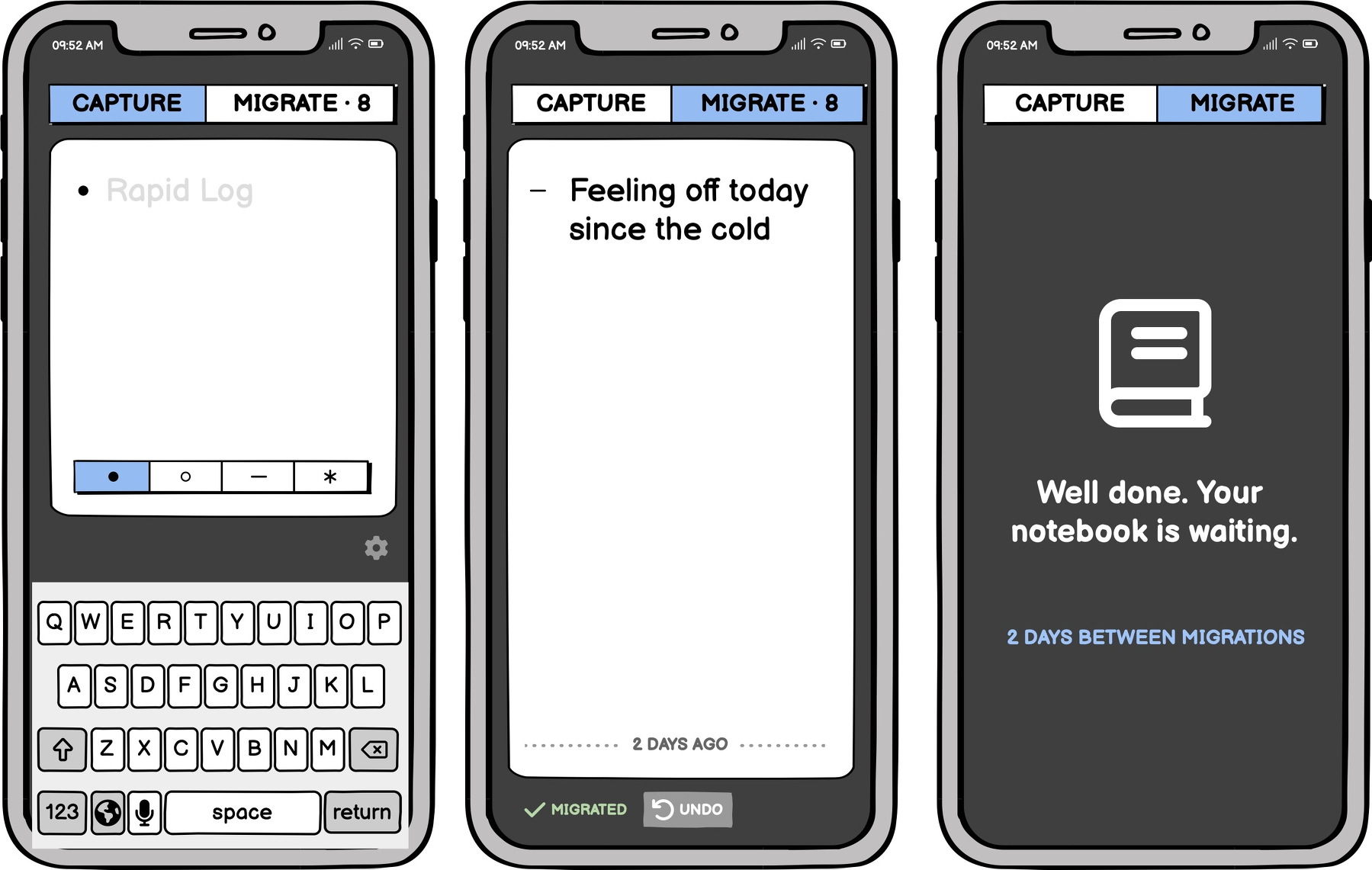
The idea: open the app, you’re already in the capture field with the keyboard up. Pick a signifier, type, done. When you’ve got your notebook in front of you, swipe to the migrate screen and clear them one card at a time.
A few weeks in, the app looked like this:
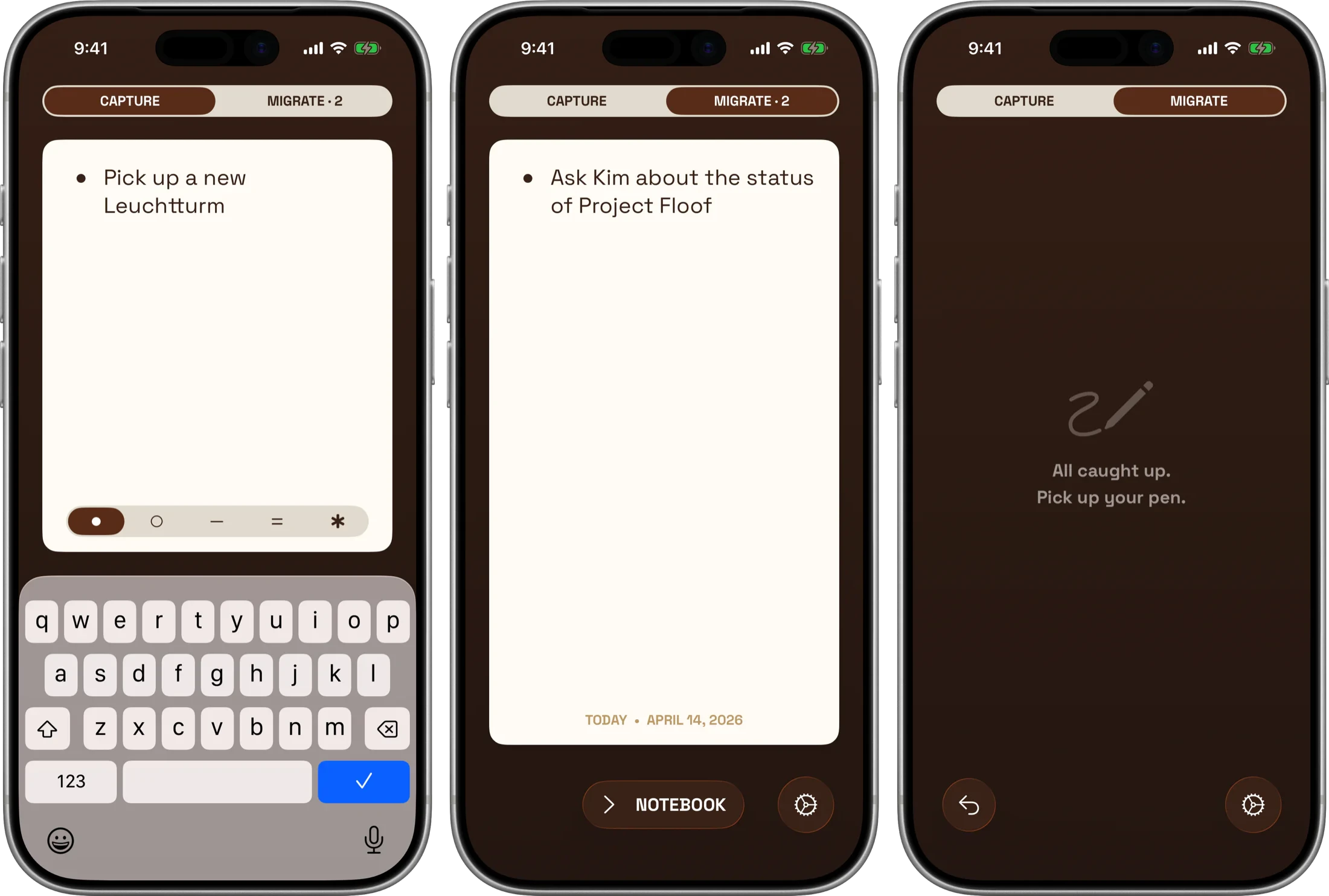
From there it was the usual development rabbit hole — iCloud sync across iPhone, iPad, Mac, and Apple Watch, customizable signifiers, themes, Siri support, a domain name (roost.ink!), a website. This tiny papercut turned into months of work. But the surface stayed exactly as small as the original mockup: two screens, swipe, write it in the notebook, delete. No tags, no folders, no projects, no history.
Roost is free on the App Store. Themes are a non-annoying one-time unlock if you want them. It’s for people who already keep a paper journal and just want a buffer for the moments they can’t reach it. It’s a niche audience but if that’s you, I made this for you.